FREE HAM RADIO STATION COMPANION • Source Staging in Progress

Precision engineering & digital control for BG2FX Transceivers on macOS

An independent station companion written in Swift 6 for FX-4CR, FX-4C, and FX-4L transceivers. Synchronized FT8/FT4 decoding, Kenwood TS-590S CAT Studio, offline frequency simulation, and guarded STM32 firmware manager.

Latest Release: v0.2.1 (Build 155) • Package Size: 7.0MB • Apple Silicon (arm64)
Swift 6 Native AppKit & SwiftUI
115,200 Baud Kenwood TS-590S CAT
FT8 / FT4 DSP Synchronized AudioQueue
Local & Private Sandboxed Local Storage
Decision Matrix

At-a-Glance System & Hardware Compatibility

Package Architecture: arm64 (Apple Silicon)
Processor Architecture
Apple Silicon Native

Compiled exclusively for M1, M2, M3, and M4 Apple Silicon Macs. Intel x86_64 build guide will be published upon public source release.

Operating System
macOS 14+ Required

Designed for macOS Sonoma (14.x) and macOS Sequoia (15.x). Leverages modern CoreAudio AudioQueue and IOKit serial discovery.

Transceiver Readiness
FX-4CR (Primary Baseline)

Standard CAT & USB Audio tested on FX-4CR. FX-4C has read-only CAT allowlist. FX-4L specification is currently preliminary.

Software License
100% Free Software

Core released under the MIT License. Digital DSP utilizes ft8_lib (MIT) and KissFFT (BSD-3-Clause). Zero subscription fees or DRM.

macOS Native Application Interface

Engineered specifically for macOS

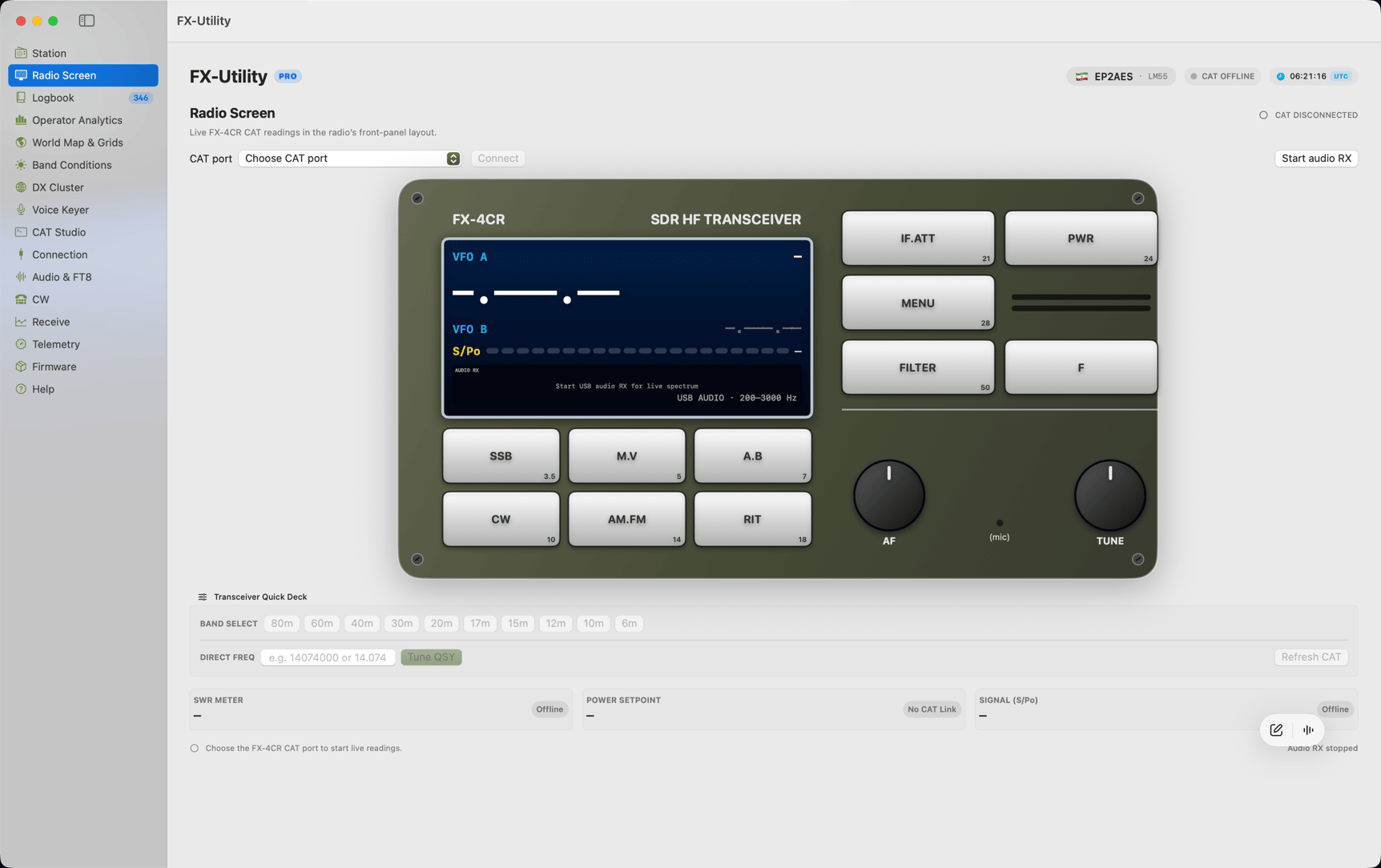
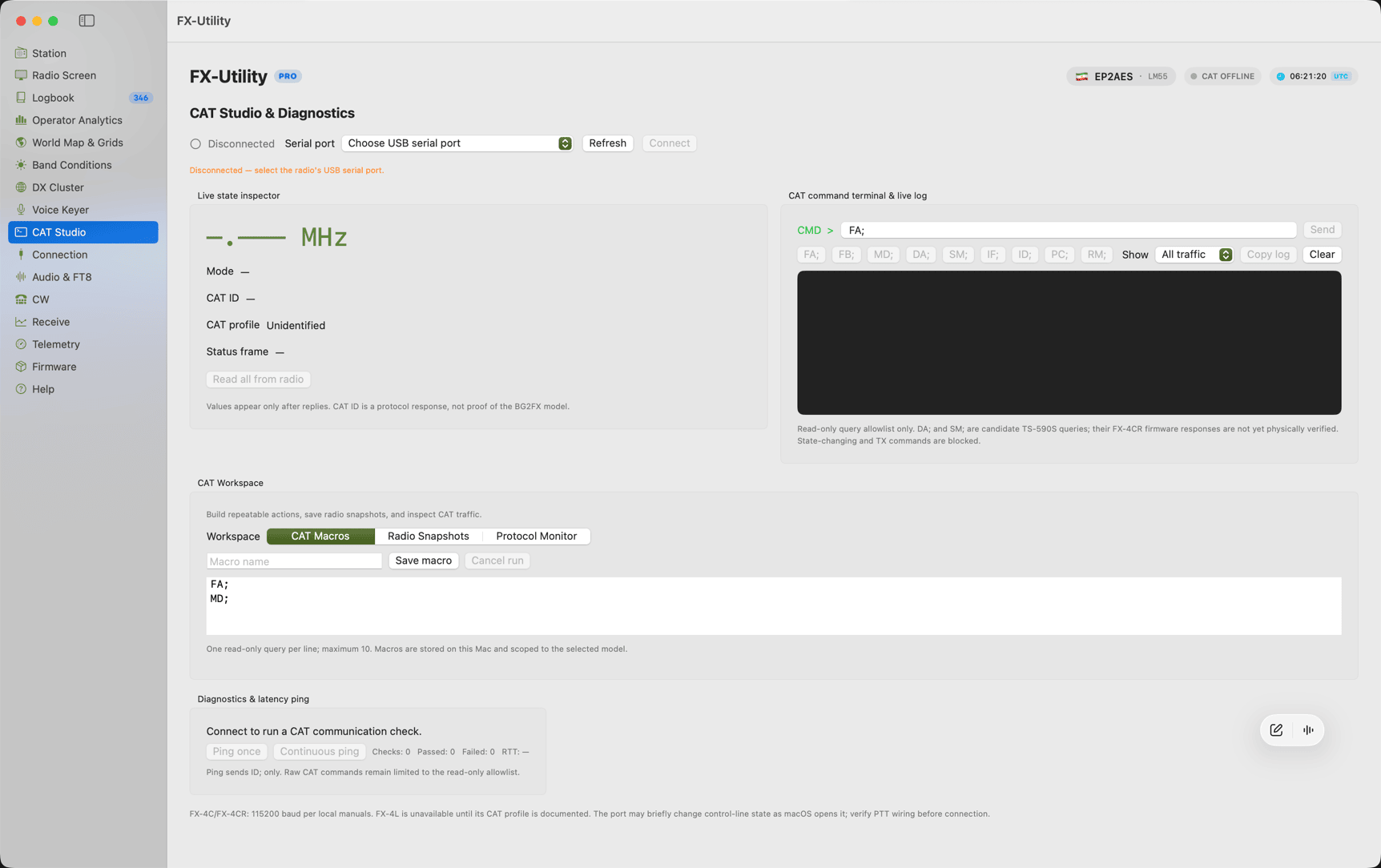
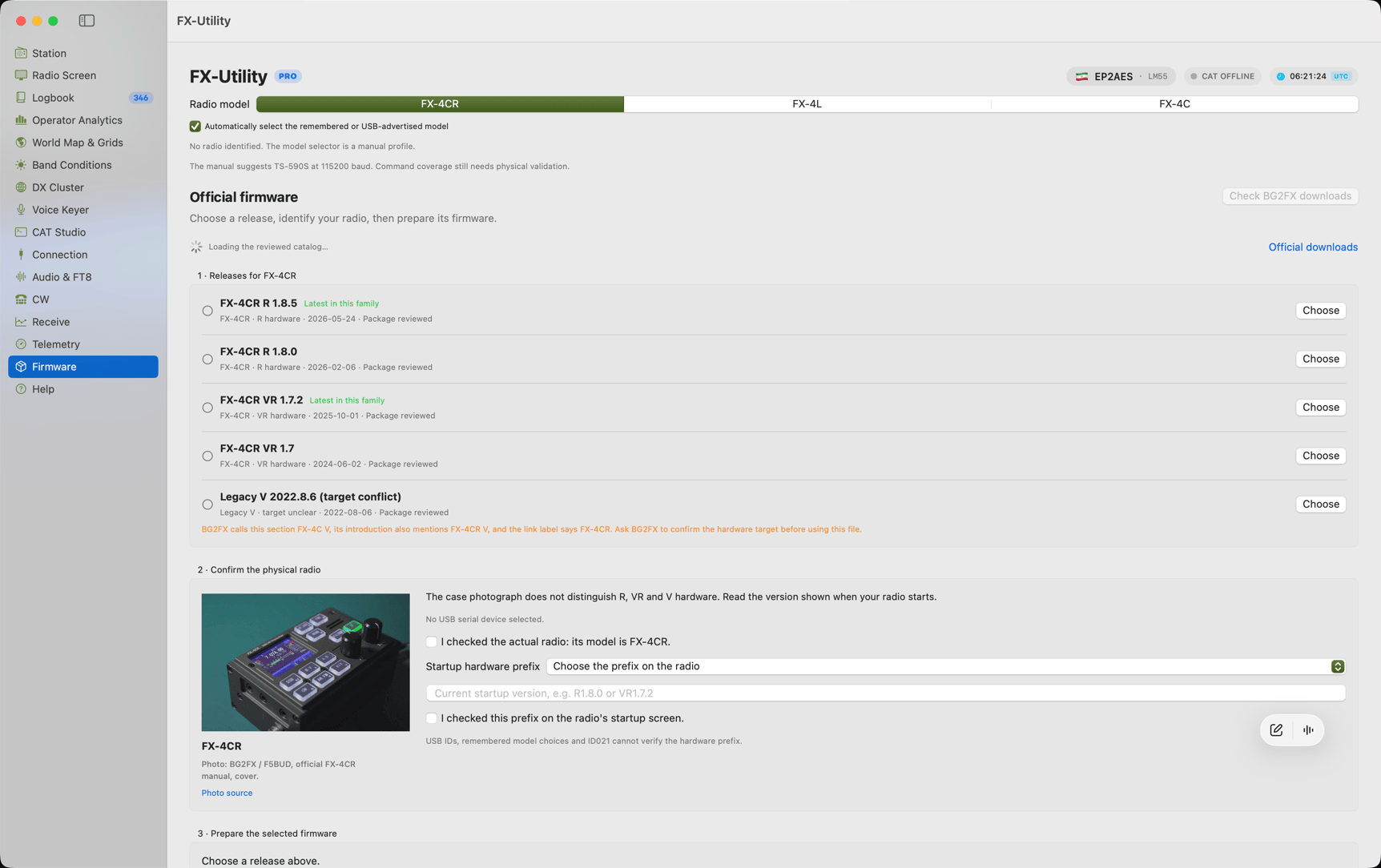
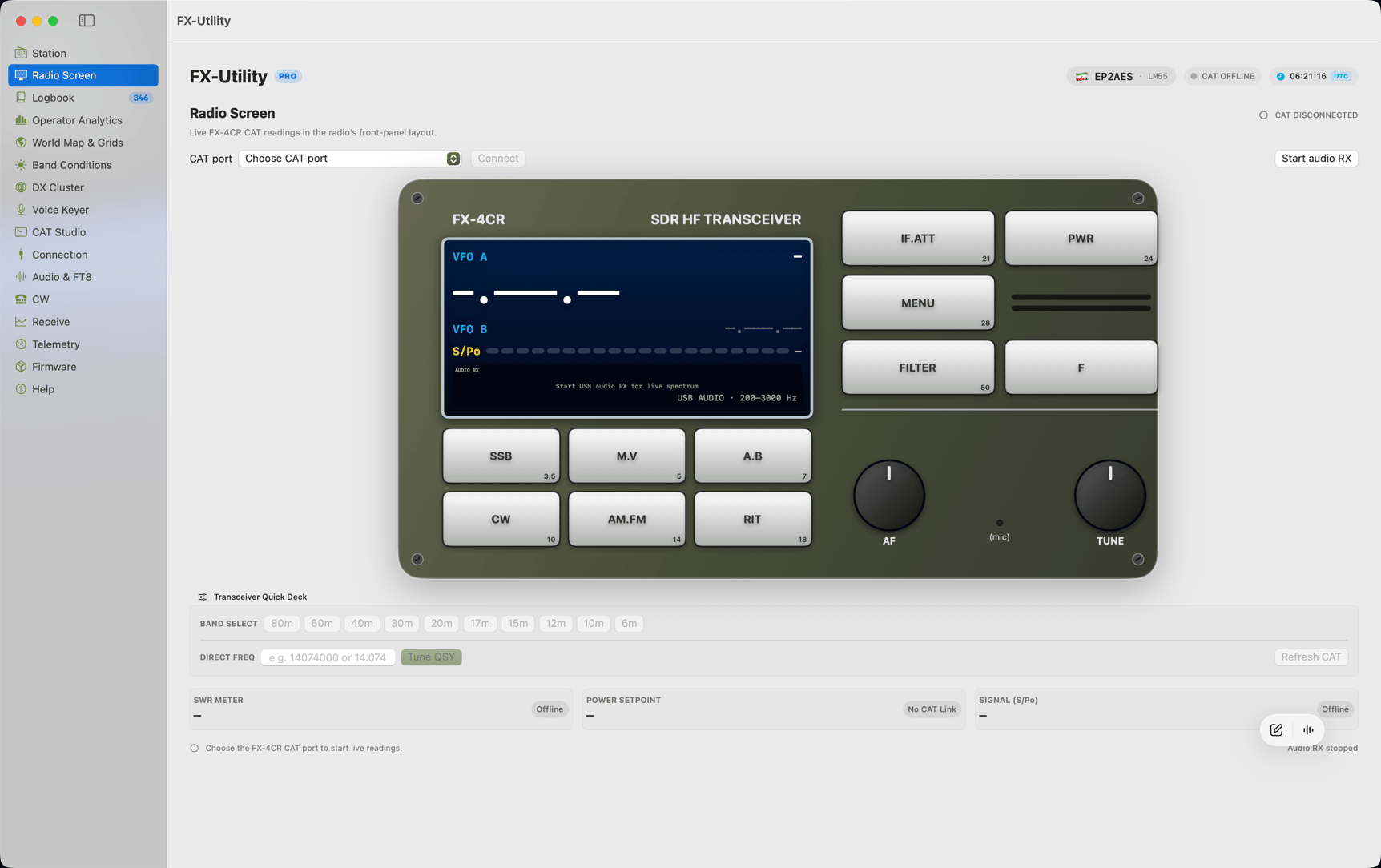
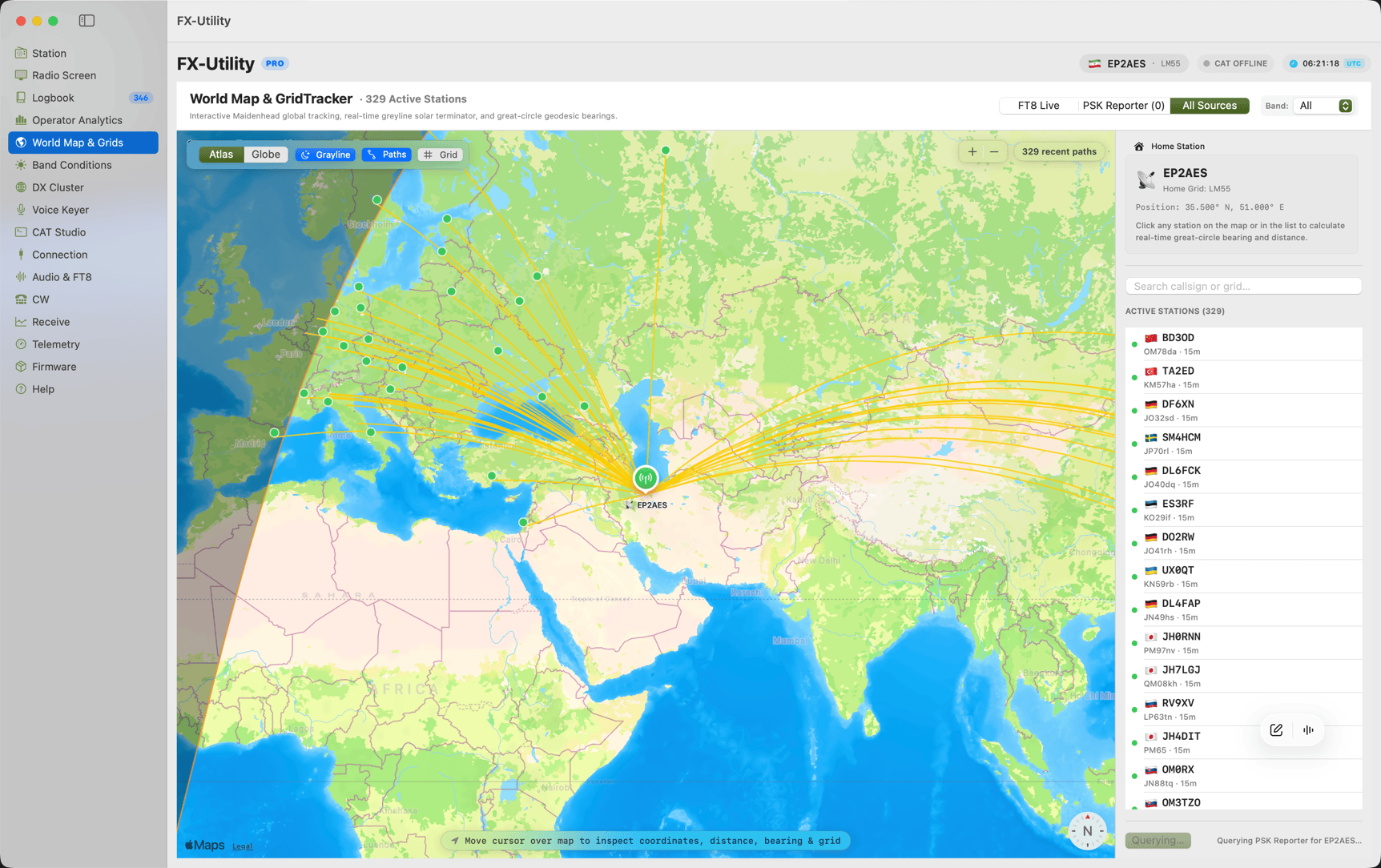
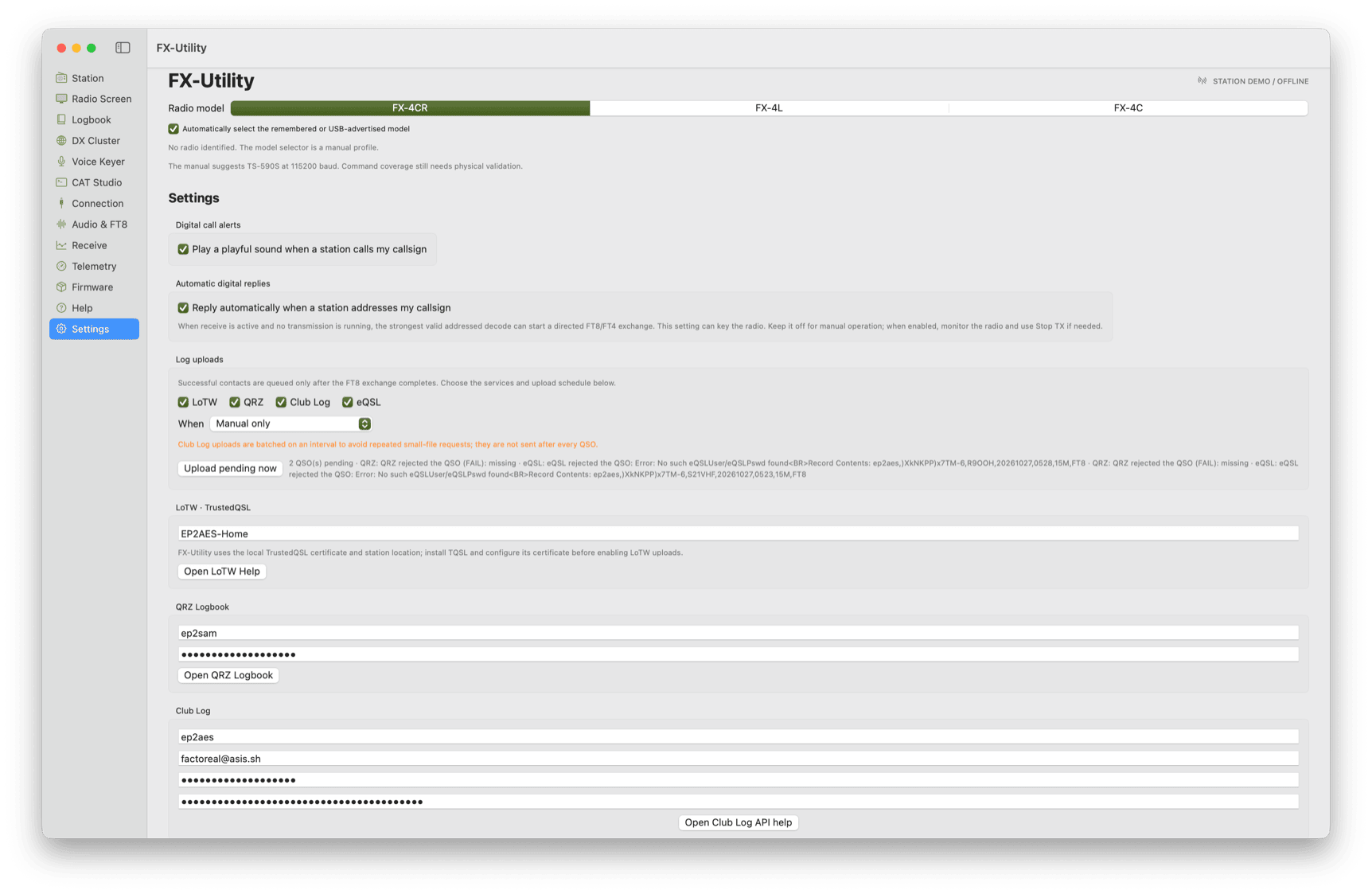
Explore high-resolution screenshots from live builds running on macOS Sonoma & Sequoia.
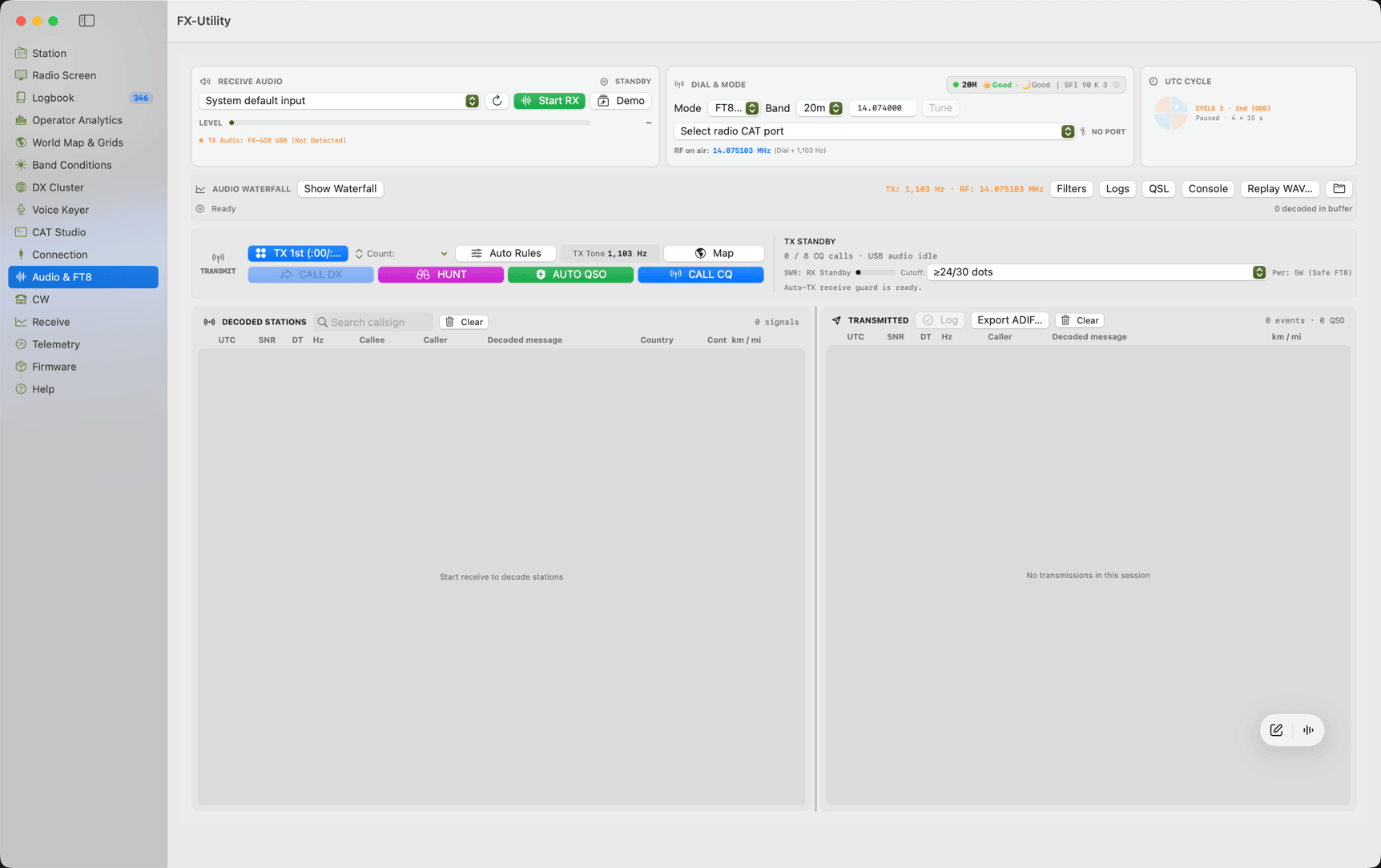
FX-Radio Utility — macOS Native Station Workbench
LIVE macOS BUILD
Hardware Validation Ledger

BG2FX Transceiver Compatibility Ledger

Documented test baseline, observed CAT query behaviors, and peripheral requirements for supported hardware models.

Transceiver Validation Scope CAT Protocol PTT Method Audio Routing Firmware Support Operating Baseline Notes
FX-4CR
Primary Test Baseline TS-590S @ 115,200 CAT TX;/RX; Commands Built-in USB Sound Card Standard R vs VR Profiles Tested on hardware units running firmware v1.6–v1.8.x. Front-panel OLED readback and relative SWR threshold cutoff implemented.
FX-4C
Read-Only CAT Support TS-590S (Passive Query) Hardware PTT / Digirig TRRS Audio Cable Archive Catalog Only Profiled against schematic records. Safe read-only query allowlist active; direct serial PTT not recommended on early revisions.
FX-4L
In Development Profile Placeholder Pending Hardware Spec USB Audio (Draft) Specification In Progress Profile structure prepared for upcoming hardware release. Offline simulation and USB VID/PID discovery active.
Interactive In-Browser Simulation

Interactive Digital Operations Simulator

Test FT8 sequence automation, audio waterfall tuning, and CAT safeguards directly in your browser.

Web Demo Mode: Accelerated 4s sequence steps (Standard FT8 operates on strict 15.0s UTC intervals)
VFO A: 14.074.000 MHz (20m USB-D)
RX Monitoring
Band:
S-Meter:
S7
SWR: 1.15 (Cutoff >2.5)
Audio Spectrum (Simulation) · App computes 8192-pt Hann FFT
Hz
200 Hz 1000 Hz 1500 Hz 2000 Hz 2500 Hz 3000 Hz
CoreAudio & CAT DSP Monitor · AudioQueue 12kHz READY
[07:15:00 UTC] Initialized CoreAudio input resampler @ 12000 Hz
[07:15:02 UTC] CAT link established on Kenwood TS-590S profile (115200 8N1)
[07:15:04 UTC] RX Decoded: CQ JA7XYZ QM08 (-06 dB, dt 0.2s)
[07:15:19 UTC] RX Decoded: CQ DL1ABC JO43 (-12 dB, dt 0.1s)
Recently Logged Contacts (In-Memory Web Simulation) Volatile Session Buffer
Time (UTC) Callsign Band Mode RST Sent RST Rcvd Grid Distance Session Status
07:12:15 W1AW 20m FT8 +02 -04 FN31pr 9,842 km RECORDED
Comprehensive Station Modules

Engineered for demanding amateur radio workflows

Built natively in Swift 6. Zero third-party audio drivers or web runtime overhead.

Digital Operations Desk Module: AudioQueue + ft8_lib

Synchronized FT8 & FT4 Digital Workstation

The integrated C ft8_lib DSP decoder processes mono 12 kHz CoreAudio streams natively without external software bridges. Generates a fine-grain audio waterfall (1.46 Hz per bin), syncs with 15-second FT8 and 7.5-second FT4 UTC cycles, and executes standard WSJT-X QSO auto-sequencing.

WSJT-X Parity Strict signal report, grid locator, and RR73 sequence exchange
Direct Audio Routing Automatic persistent device UID binding via native CoreAudio
SWR Guard & Cutoff Continuous CAT relative SWR meter monitoring with automatic TX cutoff
Targeted Call DX & Configurable Hunt Modes Circular Buffer Drop Protection
Non-Intrusive Polling 2s Interval

Passive USB Discovery

Inspects macOS IOKit USB metadata every two seconds without opening serial ports or toggling handshake control lines, eliminating spurious TX keying during connection discovery.

VID/PID Auto-Discovery: Active
Remember Adapter: Serial & Topology
Supports CH340, CP2102, FTDI & native USB bridges
Training & Testing Offline Engine

Offline Frequency & QSO Simulator

Explore digital operations, waterfall tuning, and automated message sequences anywhere without transmitting RF or connecting physical hardware.

Simulated demo traffic stays entirely in memory and is automatically discarded on exit.
Contact Management ADIF 3.1.4

Atomic Local QSO Logbook

Completed FT8 and FT4 contacts are automatically timestamped in UTC and recorded atomically into local JSON and industry-standard ADIF export format.

Atomic Temp File Rename Protocol Filesystem Safe
Propagation Tracking Telnet DX

Live DX Cluster & Grayline Map

Aggregate real-time DX spots with band filtering, plot distant stations across the Maidenhead grid, and track the solar terminator grayline.

Automatic distance calculations from 6-char locator grid
SOURCE CODE STATUS & LICENSING ROADMAP

Transparent development and licensing model

Repository: Rights Clearance Staging
Development Repository Notice: FX-Radio Utility core application architecture is licensed under the MIT License. The digital FT8/FT4 DSP engine incorporates Karlis Goba’s ft8_lib (MIT License) and KissFFT (BSD-3-Clause). The primary GitHub development repository is currently held in private staging while bundled third-party transceiver schematic documentation and firmware distribution rights undergo IP clearance. Compiled binary releases are distributed freely on this site; public repository access will open once rights clearance is finalized.
01

Modular Layered Architecture

Swift 6 strict concurrency isolates serial I/O, CoreAudio buffer streams, and AppKit user interface views into independent actors, preventing thread contention.

02

Local Storage & Zero Tracking

FX-Radio Utility embeds no telemetry SDKs or analytics monitors. Station profiles and QSO logs remain strictly inside sandboxed JSON files on your Mac.

03

Documented Physical Rig Profiles

Every CAT command sequence and PTT handshake is mapped against official BG2FX hardware documentation with physical test notes on real transceiver units.

Network Transparency

Clear Network Boundaries

FX-Radio Utility operates in two distinct modes regarding network connectivity:

1. Default State: Zero Outgoing Network Activity

In default operation, FX-Radio Utility communicates solely through local USB serial ports and local CoreAudio input/output hardware. It makes no unsolicited outgoing connections to the internet.

2. Optional Network Services (Operator Initiated Only)

Only when explicitly configured and enabled in Settings: connects to operator-defined Telnet DX cluster nodes, uploads logs to LoTW/QRZ/Club Log/eQSL using Apple Keychain credentials, or queries the release API for update checks.

Release Verification & Security

Cryptographic Integrity & Installation

Verify the authenticity of your download and review first-launch Gatekeeper instructions.

SHA-256 Checksum Verification BUILD 155

Verify your downloaded ZIP archive using macOS Terminal to ensure the file has not been altered:

File: FX-Radio-Utility-0.2.1-build155.zip
adc6e8610f7c33bfb87ce7ff0508e65b845336cb0a520035bb592957812c1676

Terminal verification command:

echo "adc6e8610f7c33bfb87ce7ff0508e65b845336cb0a520035bb592957812c1676 FX-Radio-Utility-0.2.1-build155.zip" | shasum -a 256 -c
Binary: Mach-O 64-bit arm64
Gatekeeper & First Launch DEVELOPMENT SIGNED

FX-Radio Utility is an independent project signed with development certificates without Apple Developer ID notarization. Follow these steps for first launch:

  1. Extract the downloaded archive and drag FX-Radio Utility.app into your /Applications folder.
  2. Right-click (or Control-click) FX-Radio Utility.app and choose Open.
  3. In the macOS security dialog, click Open to confirm launch.
Terminal bypass alternative: xattr -cr /Applications/FX-Radio\ Utility.app
Intel x86_64 Mac: Build instructions will be published with public source release.
FX-Radio Utility Logo
Free Forever

Elevate your BG2FX operating experience on Mac

Download the latest release for Apple Silicon Mac. Fully sandboxed local storage, native CoreAudio DSP, and responsive TS-590S CAT.

Host: fxutility.asis.sh • v0.2.1 (Build 155) • Apple Silicon (arm64) • SHA-256 Verified